
Overview
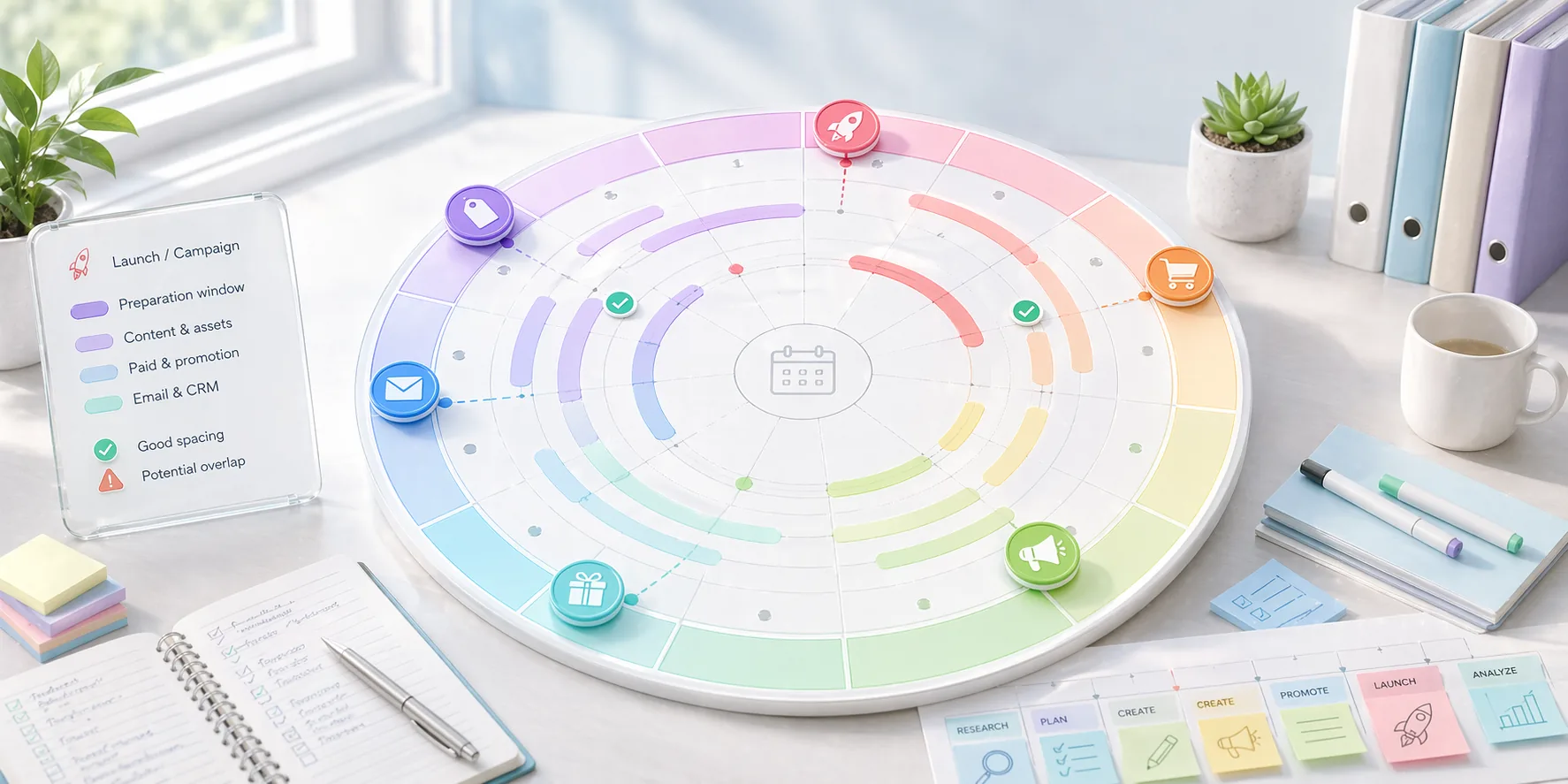
Campaigns and launches often look manageable when they are listed one by one, but the real problem appears when timing overlaps. A year wheel exposes those overlaps far earlier than a simple backlog or spreadsheet usually does.
The real advantage of a year wheel is not decoration. It is that annual timing becomes visible in one glance, which helps teams avoid bunching important work into the same part of the year by accident.
Practical launch-planning notes
A year wheel is useful because launches rarely happen in isolation. Campaigns, seasonal demand, supplier deadlines, holidays, content production, and team capacity all compete for the same calendar space.
The goal is not to place every task on the wheel. The goal is to see timing pressure early enough that the team can make better tradeoffs before work becomes urgent.
Launch planning improves when milestones are visible at different distances. Put the public launch moment on the wheel, then add preparation windows for assets, approvals, testing, and fallback time.
Before locking a launch window
- Check seasonal conflicts and other campaigns near the same date.
- Add preparation windows, not only the final launch day.
- Mark dependencies that require approval or external input.
- Leave visible buffer where delays are likely.
Who this is for
- Teams planning seasonal campaigns, launches, or annual programs.
- Operators who need a better overview than a plain monthly list provides.
- Businesses with recurring moments that shape the year.
Step-by-step guidance
Step 1
Place the immovable moments first
Start with the dates and seasons that cannot move: launches, holidays, sales periods, events, or mandatory cycles. These anchors create the real shape of the year.
Step 2
Layer campaign preparation before campaign visibility
The visible launch moment is only one piece of the work. Add the preparation windows before it so the team sees when assets, reviews, and approvals need to exist.
Step 3
Look for spacing, not just occupancy
A useful year wheel shows where the calendar is overloaded, but also where the spacing between major efforts is too tight to execute well. Good annual planning is as much about breathing room as it is about filling slots.
Step 4
Use the year wheel as a framing view, not the daily task tracker
Once the launch windows are clear, move weekly and stage-based work into a planner board. The year wheel should guide timing decisions, while the execution board handles movement through active work.
A year-wheel launch setup
Place the launch date first, then work backwards with content, product imagery, page updates, QA, and announcement timing. The wheel should make crowding obvious before the team commits to the date.
Once the timing looks realistic, move the near-term pieces into a weekly board. The year wheel remains the timing map, while the active planner handles day-to-day execution.
Comparison or example section
A year wheel is stronger than a flat calendar when you need to reason about annual rhythm and overlap. It is weaker than a Kanban board when you need to manage daily work states.
Mistakes to avoid
- Placing only the launch date and forgetting the preparation period before it.
- Using the year wheel as if it were a daily task list.
- Ignoring spacing conflicts because the dates technically fit.
- Assuming the annual view removes the need for a weekly execution layer.
Planning help
Use the planning view that matches what you are doing
Planner works best when active work and longer-range timing are treated as two different jobs instead of being forced into one board.
Best for
- Teams managing ongoing execution in stages.
- Operators who need to plan annual campaigns or recurring programs.
- People who want a cleaner split between strategy timing and current workload.
How to use it well
Use lanes for work that is moving now: Choose the lane-based view when the important questions are what is next, what is blocked, and who owns the active work.
Use the year wheel for timing: Choose the year wheel when spacing, seasonality, launches, and recurring cycles matter more than day-to-day status updates.
Let the two views do different jobs: The year wheel gives you the bigger timing picture, while the lane planner handles the work that is actually in motion this week.
Keep weekly planning tied to the bigger plan: A simple rhythm works best: check the year view when you need timing context, then use the weekly board to run the work that is currently live.
FAQ
What should go on a year wheel first?
Start with the fixed annual moments and only then layer the supporting work around them.
Is a year wheel only for big organizations?
No. Small teams often benefit even more because they have less slack when several initiatives collide.
Can a year wheel replace a project board?
No. It helps frame timing, but the detailed execution work still needs a more operational view.